


Guitar Lessons by GuitarTricks
3.6989.00 Reviews
App Specs
- Version
- 1.10.4
- Updated On
- License
- Free
- Downloads
- 500,000+
- Developer
- Guitar Tricks
- Categories
- Music & Audio
- Platform
- Android
Screenshots
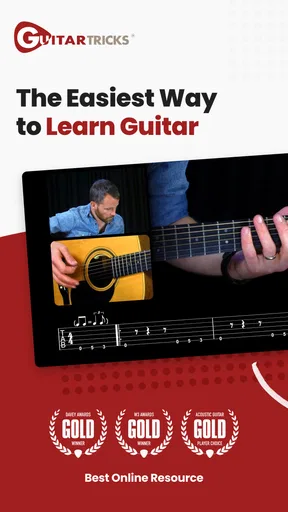
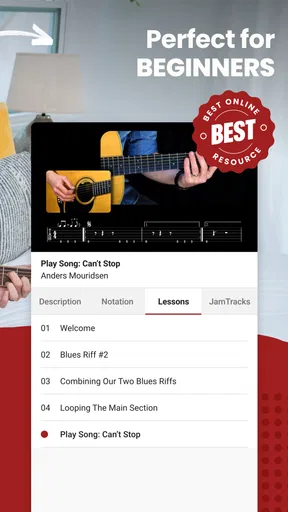
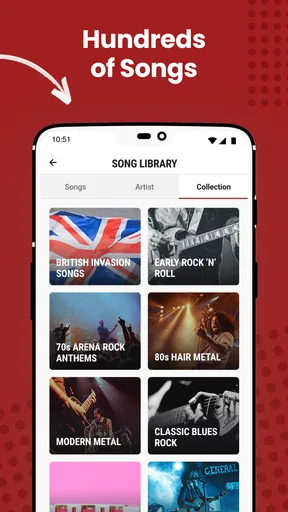
 Analysis by AppCompare
I judge a guitar-learning app by what it helps me do after I put my phone down: pick up the instrument, work through a real sticking point, and know what to practice next. Guitar Lessons by GuitarTricks is aimed at that practical routine, pairing guided instruction with material for different ability levels. It is a music-learning app from Guitar Tricks, and its appeal is less about turning a spare moment into instant virtuosity than giving practice a clearer path. If you want a structured place to begin or a way to refresh your fundamentals, that focus is useful; if you mainly want quick answers to one narrow question, a broad lesson program may feel like more than you need.
Choosing a useful starting point
My first advice is to be honest about your current level before following a course. A beginner who is still making clean chord changes needs a different practice target from someone who can play songs but wants to understand a style or technique. The app’s Core Learning System is presented as a route from basic chords toward more advanced material, so it makes sense to use it as a spine rather than hopping randomly between topics. That approach can prevent a familiar beginner trap: collecting lessons without giving any one skill enough time to settle.
There is also a practical difference between learning guitar because you want to play songs and learning because you enjoy technique itself. The song library gives the first kind of learner a reason to keep going, while the range of styles gives a curious player room to explore. I would still choose one immediate goal—say, changing between a few chords smoothly or getting through a short passage—before opening a session. A small, specific target makes a video lesson easier to turn into actual playing instead of passive watching.
Getting Started with Guitar Lessons by GuitarTricks
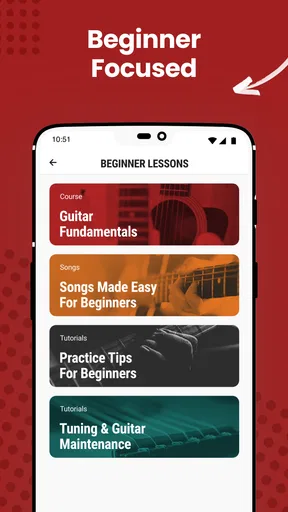
When you first open up the app, you’ll be greeted with a user-friendly interface. It’s clean, straightforward, and not at all intimidating. The app offers a variety of lessons that cater to different skill levels. Whether you’re just picking up a guitar for the first time or you’ve been playing for years, there’s something for everyone.
The lesson plans are organized in a structured way, which is super helpful. You can jump right into the Core Learning System, which is the backbone of the app. This system guides you through everything you need to know, from basic chords to more advanced techniques.
Diving into the Features
One of the standout features for me is the vast library of songs. You can learn to play your favorite tunes, which makes practicing much more enjoyable. The lessons break down each song into manageable parts, so you can focus on mastering one section at a time. Plus, there are video tutorials that show you exactly what to do.
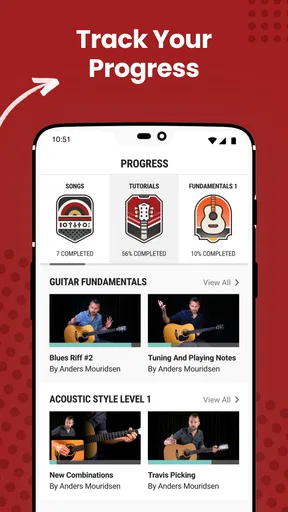
Another cool feature is the progress tracking. It helps you keep tabs on what you’ve learned and what you need to work on next. This is especially useful if, like me, you need a little extra motivation to keep going.
Worth Reading Before You Choose

Flipboard Shows What News Apps Must Do Beyond the Feed

Switching to Android Auto Means Rethinking Your Driving Routine

Google Calendar Makes a Crowded Week Easier to Manage

Ludo King Makes the Most of the Minutes Between Plans

Baby Panda World Brings Quick Play to Modern Phones, but Its Game Library Feels Busy

ESPN’s Live Game View Makes Following Close Games Easier
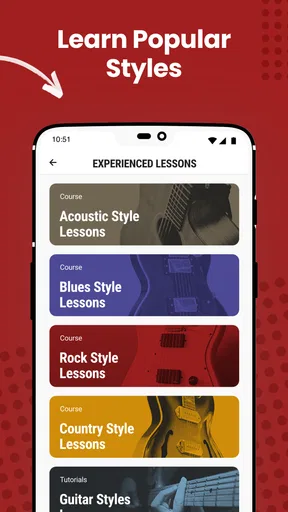
The app also offers a ton of different guitar styles, from rock and blues to country and jazz. This variety allows you to explore different genres and find what resonates with you.
Making lessons work in a real practice session
A useful way to put those features together is to make each session do one job. On an ordinary evening, I might choose a short song section, watch the explanation once, then put the phone aside and try the passage slowly. After a few attempts, I can replay the relevant part of the lesson rather than restarting a whole course. The key trade-off is that video is good at showing posture, hand placement, and the shape of a movement, but it cannot correct my hands in the room. I still need to listen carefully and notice whether the notes ring cleanly.
For someone who gets overwhelmed by too many choices, I would keep a simple practice order: revisit the last skill, work on one new piece, then finish by playing something familiar. Progress tracking can help make the next choice less vague, but it is most useful when I treat it as a reminder rather than a verdict on how good I am. A slow, imperfect session is still productive if it identifies one specific thing to improve next time.
This is also where the app differs from a quick tutorial search. A free video found elsewhere can be excellent for a single chord or riff, but searching repeatedly can leave a learner with disconnected advice and no planned progression. Guitar Tricks is more appealing when I want lessons arranged into a broader learning route and want song work alongside technique. A private teacher is the stronger choice when I need immediate feedback on tension, timing, or a habit I cannot diagnose myself; the app is a more flexible practice companion, not a full substitute for another person listening to me play.
Who benefits, and where the fit is weaker
I can see this working especially well for a new guitarist who wants guidance but prefers to practice at home and set their own pace. It can also suit an intermediate player who has learned informally and wants to revisit fundamentals or try a different musical direction. The broad mix of styles is valuable when a learner is still discovering what they enjoy, though it can become a distraction if every session turns into a tour of unrelated genres.
It is less compelling for someone who already knows exactly what they need and only wants one isolated answer, or for a player who learns best through live correction. It may also be a poor match for anyone expecting an app to create discipline automatically. A lesson can make the next step clearer, but regular playing still depends on setting aside time and repeating difficult movements. If you are choosing between this and a dedicated metronome or tuner, those tools solve narrower practice needs; this app’s strength is instruction, not replacing every item in a guitarist’s setup.
Why I Love This App
What really sets Guitar Lessons by GuitarTricks apart is the quality of the lessons. The instructors are seasoned professionals who know their stuff. They explain things clearly and break down complex concepts into simple steps. It feels like having a personal guitar tutor right in your pocket.
I also appreciate how the app updates regularly with new content. There’s always something new to learn, which keeps things fresh and exciting. Plus, the community aspect is great. You can connect with other learners, share tips, and even get feedback on your progress.
Cost, access, and expectations
The app is free to install, which makes it easy to explore before deciding whether it belongs in your routine. Its average rating is 3.6 from around 7,000 ratings, and it has passed half a million installs; those figures suggest a sizeable audience, but they are not a guarantee that its teaching style will suit you. In-app purchases range from about $15 to $180 per item, so I would check what a particular lesson path or purchase includes before committing. The free starting point is useful for judging the format, while the paid options mean it is worth deciding how much structured instruction you actually expect to use.
It is rated for everyone, and the current version is 1.10.4, with Android 6.0 or later listed as the minimum requirement. The app was released on June 2, 2015, and has accumulated nearly a thousand written reviews. For day-to-day use, the more important question is whether lessons fit the way you practice: if you like watching a demonstration and then repeating it on your own, the format makes sense. If you need someone to spot a wrist angle or adjust your timing in real time, use lessons as preparation and consider getting feedback elsewhere too.
Moving from practice to playing
Learning a passage inside an app is only part of the job; the useful test is whether I can play it without looking at the screen. I would treat each lesson as a handoff from demonstration to independent practice: watch, try the movement, then repeat it from memory. For song sections, it helps to connect the part being studied to the measure or phrase before and after it. That keeps practice from becoming a collection of isolated fragments and makes it easier to hear whether the transition is the real difficulty.
Another small but important habit is to end by noting what felt better and what still breaks down. A progress feature can show where I have been, but a short personal note—such as “chord change is cleaner, rhythm slips on the final beat”—turns that record into a concrete next session. This is particularly helpful when practice is irregular. It also makes it easier to decide whether to continue a lesson, repeat a section, or return to a basic technique instead of moving forward just because the next item is available.
For a learner who wants to share finished music, this is not a recording or publishing workflow; its role is to help build playing ability. I would use it before a jam with friends, while learning a song for a casual get-together, or when preparing to return to guitar after a long break. If the goal is to produce polished recordings, arrange tracks, or publish performances, a recording or music-production app is the more suitable tool. Keeping that distinction clear helps set sensible expectations and lets this app focus on teaching.
Final Thoughts
In a nutshell, if you’re serious about learning guitar, Guitar Lessons by GuitarTricks is definitely worth checking out. The combination of professional instruction, a diverse library of songs, and a supportive community makes it a top choice for aspiring guitarists. So grab your guitar, download the app, and let the music begin!
My recommendation is to try it with one clear goal rather than judging it by how much content appears available. Follow a structured lesson if you need fundamentals, or use a song section to give practice a satisfying finish. If the explanations help you return to the instrument more often, the app is doing its job. If you need close personal correction or only want a specialist tool for tuning, rhythm, or recording, another option may fit better. For a self-directed learner who wants lessons and song practice in one place, it is a sensible starting point—with the reminder that steady progress comes from playing, not just watching.
Pros
- Wide range of lessons available.
- User-friendly interface for beginners.
- Tracks progress effectively.
- Includes interactive tabs and tools.
- Offers offline access to courses.
Cons
- Limited free content available.
- Requires subscription for full access.
- Some lessons lack depth.
- Occasional app crashes reported.
- No option for live teacher feedback.
FAQs for Guitar Lessons by GuitarTricks
What is Guitar Lessons by GuitarTricks and who is it for?
Guitar Lessons by GuitarTricks is an educational app designed to help users of all skill levels learn how to play the guitar. Whether you're a complete beginner or an advanced player looking to refine your skills, the app offers structured lessons and a wide range of genres to explore. It's suitable for anyone interested in improving their guitar playing ability.
What features does Guitar Lessons by GuitarTricks offer?
The app provides a comprehensive learning experience with over 11,000 video lessons, step-by-step tutorials, and a variety of musical genres. Users can benefit from professional instructors, interactive tools, and a library of popular songs to practice. The app also offers progress tracking, allowing users to monitor their improvement over time.
Is Guitar Lessons by GuitarTricks free to use?
Guitar Lessons by GuitarTricks offers a free trial with limited access to lessons. To unlock the full range of features and content, users can opt for a subscription plan. The app provides different pricing options, including monthly and annual subscriptions, aimed at catering to different budgets and learning needs.
Can I use Guitar Lessons by GuitarTricks offline?
Yes, Guitar Lessons by GuitarTricks allows users to download lessons for offline viewing. This feature is particularly beneficial for those who want to practice without needing a constant internet connection, ensuring users can learn at their own pace and convenience, anywhere and anytime.
What devices are compatible with Guitar Lessons by GuitarTricks?
Guitar Lessons by GuitarTricks is available on both Android and iOS platforms. It supports a wide range of devices, including smartphones and tablets, making it accessible whether you're at home or on the go. Ensure your device meets the app's system requirements for optimal performance and experience.


